

Soccer Skills 2 World Cup - Free Online Soccer Game
Soccer Skills 2 World Cup - Free Online Soccer Game
Soccer Skills 2 World Cup - Play Online Free
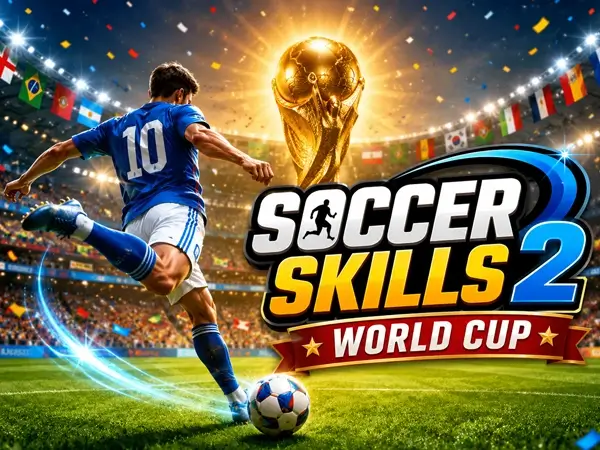
Soccer Skills 2 World Cup is a 3D football game that lets you compete in exciting soccer matches using simple mouse controls. Choose your national team, take part in the World Cup and try to become the champion.
Unlike traditional football games that require complicated keyboard controls, Soccer Skills 2 World Cup uses a simple click, drag and release system. This makes the basic gameplay easy to understand while still requiring good timing and accuracy.
The game can be played directly in your browser on a desktop computer. Choose your team, enter the competition and start your World Cup journey.
The current version listed by the game source supports desktop browsers. Mobile and tablet support is not currently listed.
🎮 Play Soccer Skills 2 World Cup
The game may take a few seconds to load depending on your internet connection.
What Is Soccer Skills 2 World Cup?
Soccer Skills 2 World Cup is a free online 3D football game developed by Minijuegosgratis.
The game is built around a simple idea: choose a national team, play football matches and defeat your opponents until you reach the final of the World Cup.
The controls have been simplified so that players can control their footballer with the mouse. Click and hold to move your player, then release to pass or shoot the ball.
🏆 Win the World Cup
The main objective of the Cup mode is to win match after match until you become the World Cup champion.
Choose your national team and enter the tournament. Every victory takes you closer to the final, where you will have to defeat the last opponent to lift the trophy.
🎯 Soccer Skills 2 World Cup Game Modes
The game offers three different modes, giving you several ways to enjoy the football gameplay.
🏋️ Practice Mode
Practice mode allows you to work on your skills without playing against an opposing team.
It is a useful place to become familiar with the mouse controls before entering the competitive Cup mode.
🏆 Cup Mode
Cup mode is the main tournament experience. Select your national team and try to defeat every opponent on the road to the World Cup final.
You need to win your matches and maintain good control of the ball if you want to become the champion.
🌐 Multiplayer Mode
Multiplayer is the competitive mode where you can face another player. Instead of playing only against computer-controlled opponents, you compete against a real player.
This mode adds another level of challenge because your opponent can react to your moves and change their strategy during the match.
⚽ How to Play Soccer Skills 2 World Cup
The controls are intentionally simple. Your mouse is used to move your player and control the ball.
Click and hold the mouse button to move your player around the pitch. When you release the mouse button, the action can be used to pass or shoot, depending on the situation.
🖱️ Controls
| Control | Action |
|---|---|
| Click and Hold | Move your player |
| Drag | Aim and control movement |
| Release Mouse | Pass or shoot |
🥅 How to Score Goals
Scoring goals requires good positioning and timing. Before releasing the mouse button, look at the position of the goalkeeper and the direction you want the ball to travel.
Avoid rushing your shots. Taking a moment to aim can make it easier to find an opening in the defense.
🎯 Passing the Ball
Passing is an important part of maintaining possession. Use the mouse to control the direction of your play and move the ball toward a teammate.
Good passing can create space and give you a better opportunity to attack the opponent's goal.
🛡️ Defending Your Goal
Winning matches requires more than scoring. You also need to prevent your opponent from creating easy scoring opportunities.
Pay attention to the player who currently has possession and try to position your defender between the ball and your goal.
🔥 Tips for Winning Matches
1. Practice Your Mouse Control
Because the game relies heavily on the mouse, spend some time in Practice mode before entering the tournament.
2. Aim Before Shooting
Do not release the mouse button immediately. Take a moment to position your player and aim toward an open part of the goal.
3. Keep Possession
Passing the ball intelligently can help you maintain control and create better attacking opportunities.
4. Watch Your Opponent
In Multiplayer mode, your opponent is another real player. Try to recognize their movement patterns and adjust your strategy accordingly.
5. Stay Calm Near the Goal
When you reach a good scoring position, avoid making a rushed move. A well-aimed shot is usually better than a random attempt.
Practice your mouse movements before starting the Cup. Once the controls feel natural, you can concentrate more on positioning, passing and shooting.
🌎 National Teams
Soccer Skills 2 World Cup is designed around international football. The game listing states that the teams from the real World Cup 2026 are featured, allowing you to choose from the participating national teams.
Select the country you want to represent and try to guide it all the way to the championship.
🌐 Multiplayer Soccer
One of the most interesting features of Soccer Skills 2 World Cup is its multiplayer mode.
Instead of always facing computer-controlled opponents, multiplayer allows you to compete against another player. This can make matches less predictable because your opponent can change their strategy at any time.
🖥️ Can You Play Soccer Skills 2 World Cup on Mobile?
The current game listing identifies the supported platform as desktop browser. Therefore, this version should be presented as a desktop game rather than promising mobile compatibility.
💻 Do You Need to Download the Game?
No separate game download is required. Soccer Skills 2 World Cup is available as a browser game and can be launched directly from the page.
❓ Frequently Asked Questions
Is Soccer Skills 2 World Cup free to play?
Yes. The game is available to play online through a web browser.
Who developed Soccer Skills 2 World Cup?
The game was developed by Minijuegosgratis.
How many game modes are available?
The game has three main modes: Practice, Cup and Multiplayer.
How do you control the player?
Click and hold the mouse button to move your player. Release the mouse button to pass or shoot.
Can I play against another player?
Yes. The game includes a Multiplayer mode where you can compete against another player.
Can I play Soccer Skills 2 World Cup on mobile?
The current listing specifies desktop browser support, so the game should be treated as a desktop-only title.
Can I win the World Cup?
Yes. In Cup mode, your objective is to defeat the opposing teams and reach the final to win the tournament.
🏆 Final Verdict
Soccer Skills 2 World Cup is a straightforward 3D football game that focuses on simple controls and quick matches.
The mouse-based control system makes the basic mechanics easy to learn, while the Cup and Multiplayer modes provide additional reasons to keep playing.
If you are looking for a simple browser soccer game with a World Cup theme, this is a good addition to your online football collection.
⚽ Ready for the World Cup?
Choose your national team, master your skills and fight for the trophy!
Play Soccer Skills 2 World CupSoccer Skills 2 World Cup was developed by Minijuegosgratis and is available as a browser game.